The AI coding agent for your
terminal and desktop
RELAI Code reads your codebase, edits files, and runs your builds and tests — and asks before it changes anything. It runs on the RELAI Developer API, so your team’s usage lands on one RELAI bill.
Switch between the coding models on your RELAI API key anytime with /model.
>
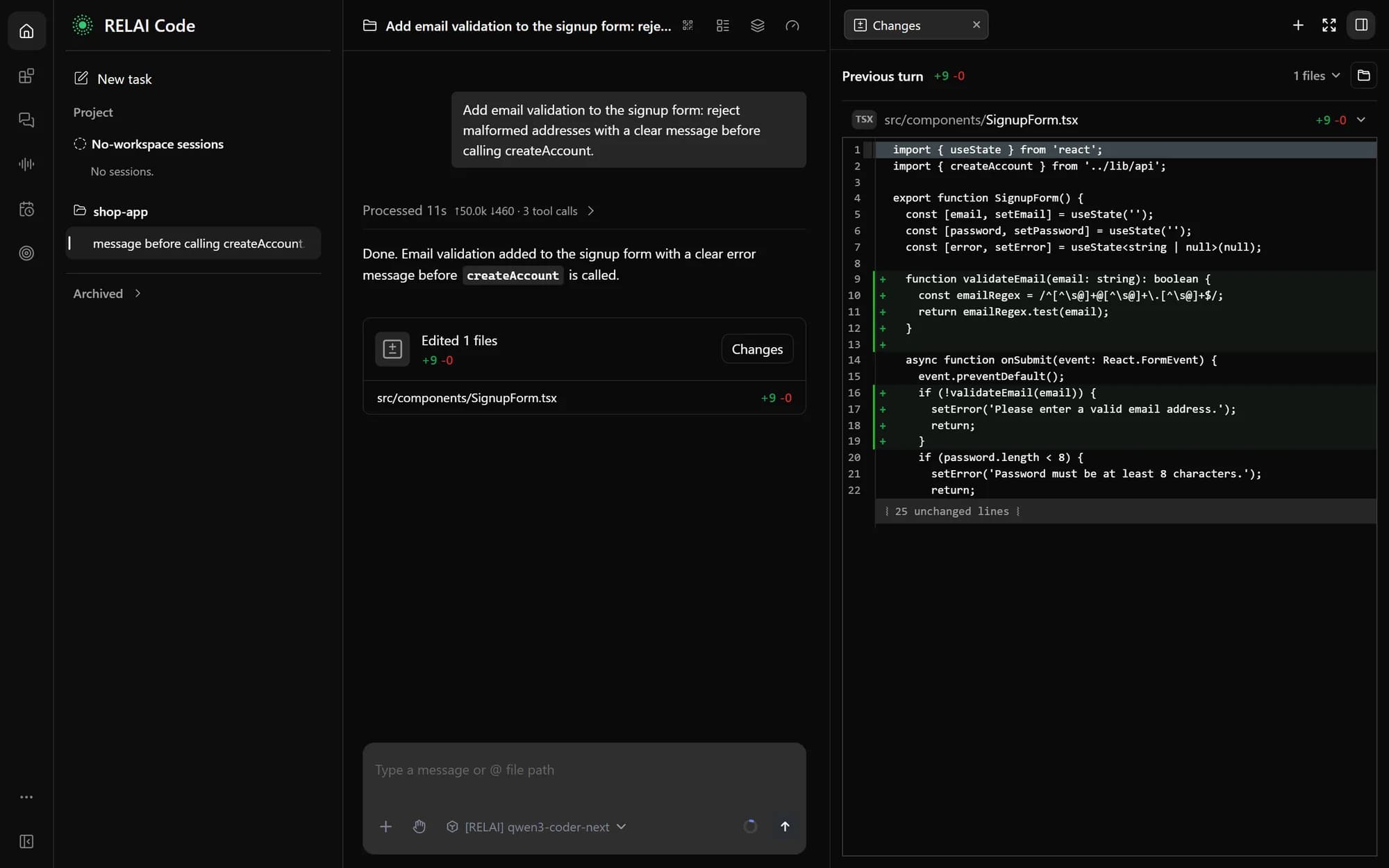
● Read src/components/SignupForm.tsx
● Search "validateEmail" — 2 matches
● Edit src/components/SignupForm.tsx +12 −2
Allow this edit?
› YesNoAlways for this session
● Shell npm test -- SignupForm
✓ 14 tests passed
◆ Done. The signup form now rejects malformed emails, and its tests pass.
Install
One command. No Node.js needed: the installer brings its own runtime.
Open PowerShell (press the Windows key, type PowerShell, press Enter), paste this command and press Enter.
$ irm https://relai.lapisai.id/code/install.ps1 | iexThen connect your RELAI API key:
$ relai loginInstalls into your user folder; no administrator rights needed. Downloads are checked against published SHA-256 checksums.
Desktop app
PreviewPrefer a window to a terminal? The desktop app runs the same RELAI Code agent, with the same key and settings.
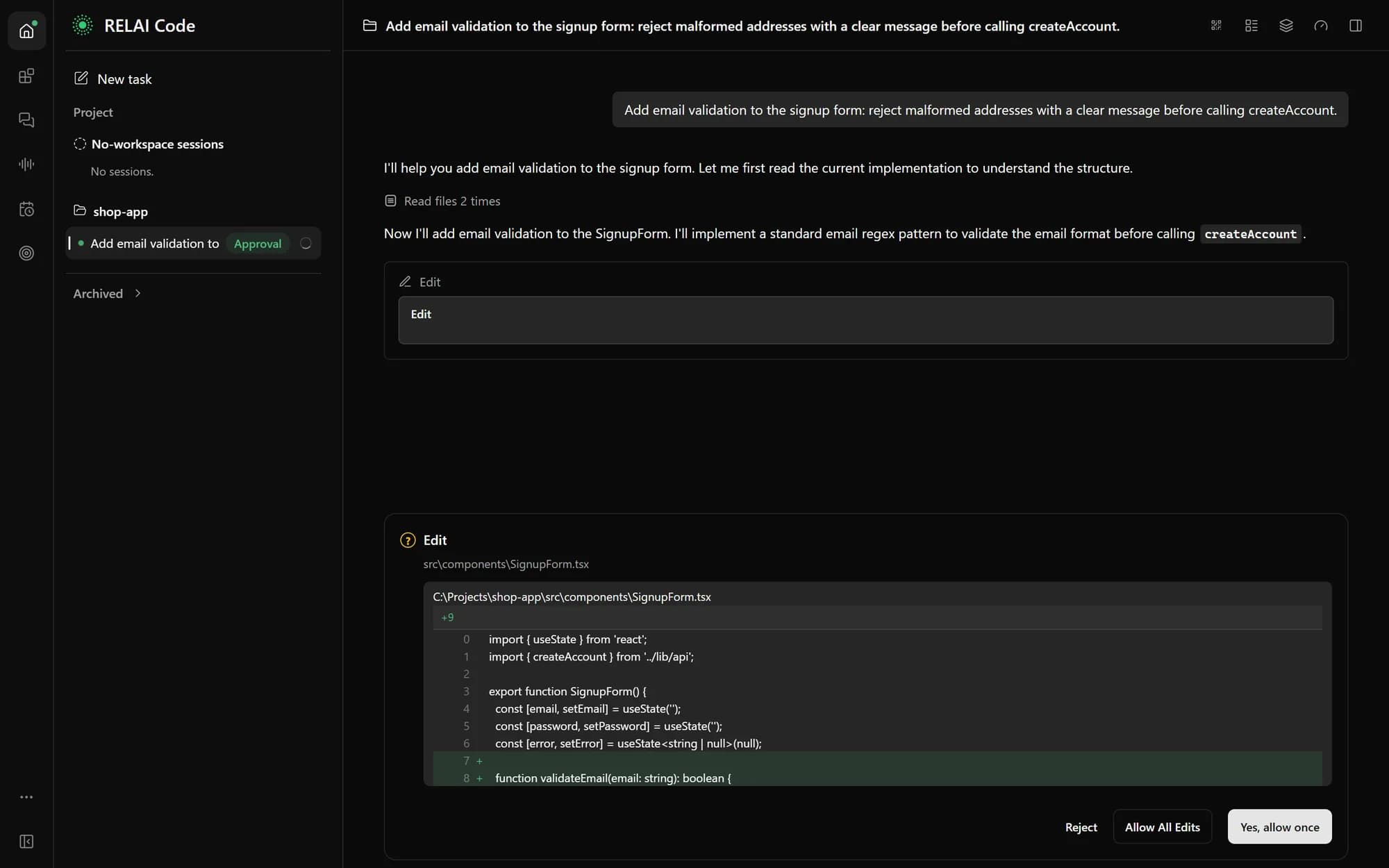
Every edit and command waits for you: allow it once, allow edits for the session, or reject it.
With the CLI installed, run:
$ relai desktopIt downloads the app, checks it against RELAI’s release signature, installs it without administrator rights and opens it, already connected to the key from relai login. Run relai desktop update for new versions.
Or download the installer yourself:
If you use the downloaded installer
- 1
Windows. Run the installer. If Windows shows “Windows protected your PC”, click More info, then Run anyway.
- 2
macOS. Open the .dmg and drag RELAI Code to Applications. If macOS blocks the first launch, open System Settings › Privacy & Security and click Open Anyway.
- 3
Connect your API key. If you have run relai login, the app already uses that key. Otherwise open Settings › Models › Add model, choose RELAI and paste your key.
The desktop app is not code-signed yet, which is why a browser download shows these warnings. On PCs with Windows Smart App Control, a new version can be blocked for a few minutes until Windows has checked it; try again shortly.
Built for real engineering work
Not autocomplete. An agent that plans, edits across files and checks its own work.
Understands your project
Searches and reads your repository, follows code across files, and keeps project notes in RELAI.md so every session starts with context.
You approve every change
By default RELAI Code asks before each edit and command. Switch to plan-only or auto-edit with Shift+Tab when you trust the task.
Runs your tools
Builds, tests, linters and git: it runs them, reads the output and fixes what failed.
Pick the model per task
One RELAI API key covers the coding models on your account. Use a fast model for small fixes and a stronger one for big refactors.
One bill, per-token pricing
Usage is charged per token to your RELAI Developer API wallet, and your dashboard breaks it down by model.
No telemetry
RELAI Code sends no usage statistics anywhere. Your prompts and code go only to the RELAI API, for the model you choose.
Up and running in three steps
Works with the RELAI Developer API account you already have.
- 1
Get an API key
Create a key on your RELAI Developer dashboard, under /developer.
- 2
Connect
relai login
Paste your key once. RELAI Code picks the best coding model your key can use.
- 3
Start in your project
cd your-project
relai
Describe the task in English or Bahasa Indonesia. It answers in the language you write.
Runs on Windows, macOS and Linux. Rolling it out to a whole team? Talk to us below.
Frequently asked questions
Which models can I use?
Any chat model available on your RELAI Developer API key. The list comes from your account, so new models appear automatically.
How is it billed?
Per token, from your RELAI Developer API wallet, at the same prices as calling the API directly. Every request’s cost shows on your /developer dashboard.
Will it change files without asking?
Not by default. It asks before every edit and shell command. You can allow edits for a session, or use plan mode to review a plan before anything changes.
Does it send my code anywhere else?
No. Your prompts and the code it reads go only to the RELAI API, as part of requests to the model you chose. RELAI Code has no telemetry.
Can it work with our internal tools?
Yes. It supports MCP servers, custom slash commands and skills, so your team can connect it to internal systems and shared workflows.
How do I update or uninstall it?
Run relai update to get the latest version. To uninstall, run irm https://relai.lapisai.id/code/uninstall.ps1 | iex on Windows, or curl -fsSL https://relai.lapisai.id/code/uninstall.sh | bash on macOS and Linux. Your settings in ~/.relai are kept. For the desktop app, run relai desktop update, and relai desktop uninstall to remove it.
Is it based on open source?
Yes. RELAI Code is built on the open-source Qwen Code project (Apache-2.0), adapted and maintained by PT Lapis Kecerdasan Buatan.
Bring RELAI Code to your team
Tell us your team size and the models you would like to use, and we will help you roll it out.
Talk to ushello.relai@lapisai.id